Tasks with a real time tracker, AI-assisted daily planning, meetings with minutes, a CRM with proposals and e-signature, campaigns by email, WhatsApp and voice, ISO 9001 and NR-1 (Brazilian workplace-risk rule). Everything lives in the same database, so data never needs exporting to be used.
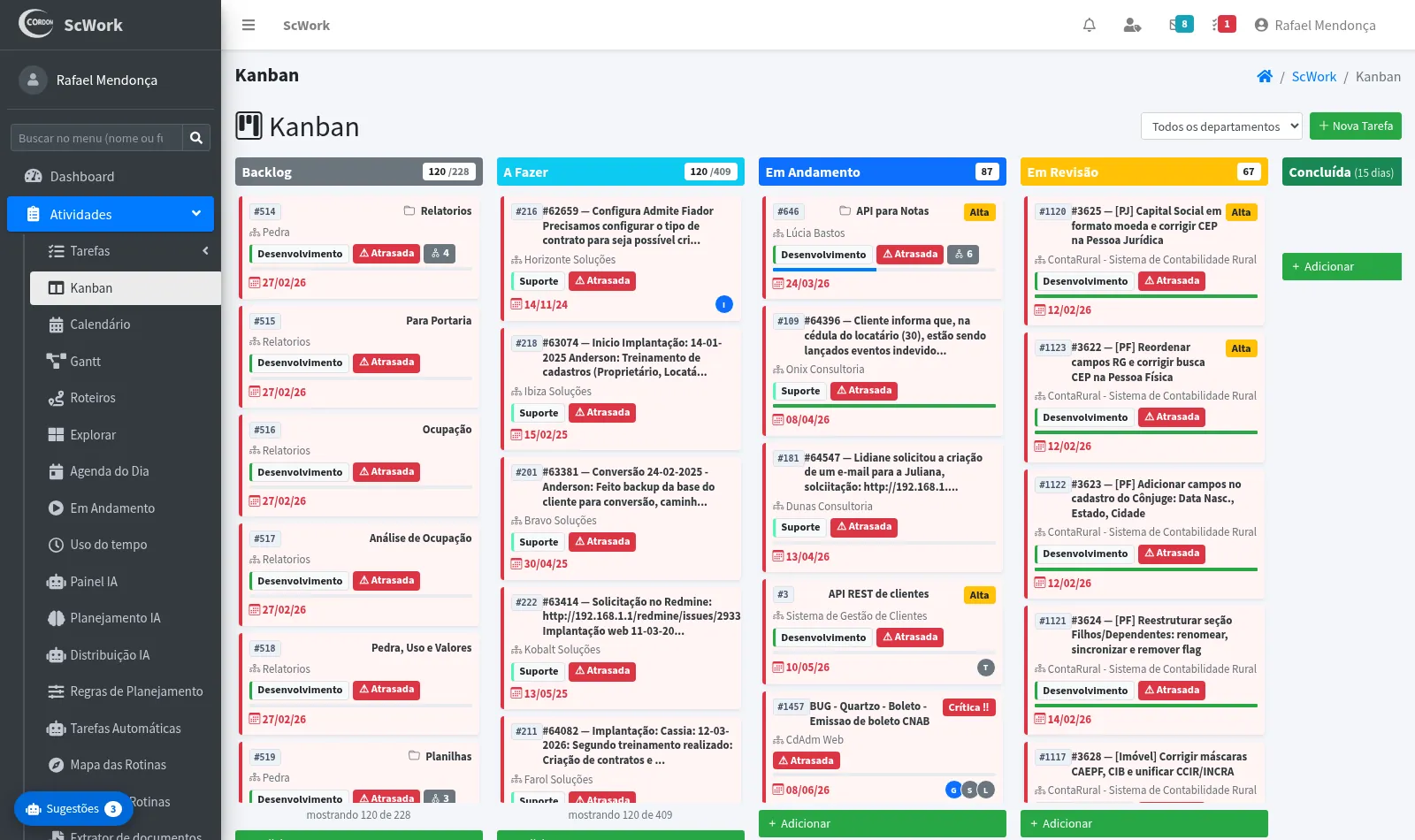
Who it's for
Software houses, software resellers, support and infrastructure companies, consulting firms and agencies. From 5 to 60 people. If more than one of these signs shows up in your company, it's worth a conversation:
What it does differently
This isn't a feature list — it's what makes someone switch tools.
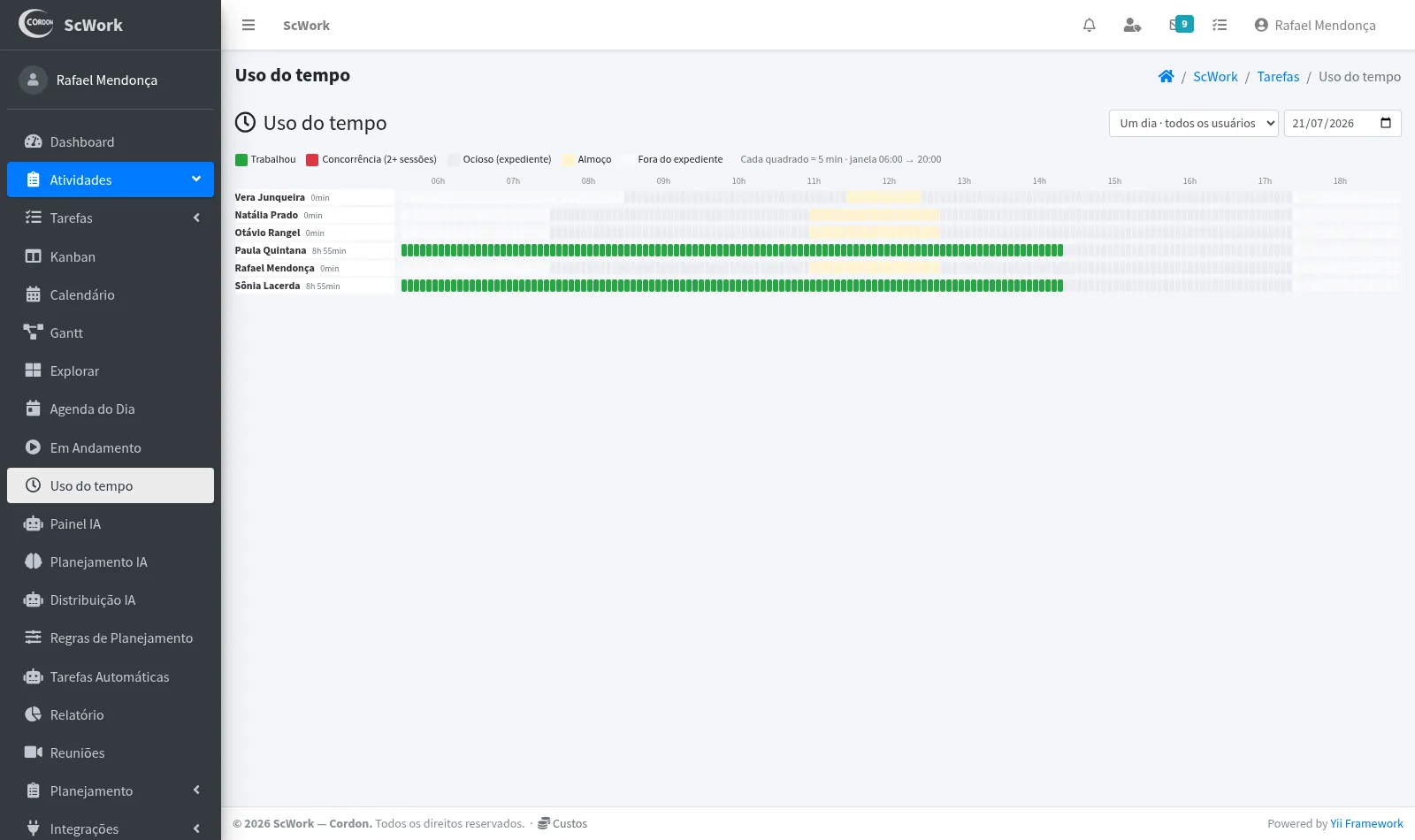
Trello and Asana don't track time. Monday and Runrun.it do — but they record whatever the person reports. Here, tracking follows real activity: a one-hour warning with a countdown, periodic checks outside business hours and recording only up to the last genuine activity.
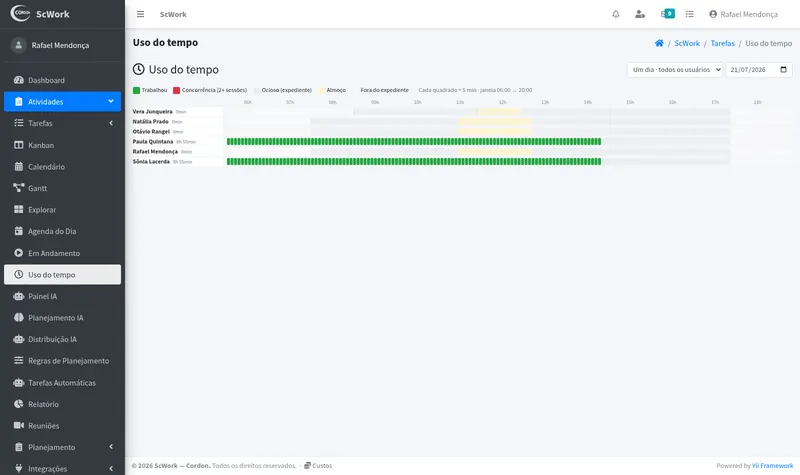
The Time Map shows the day in 288 five-minute blocks — and even flags two tasks being timed at the same time.
“How many 40-hour weekend sessions have already made it into your timesheet report?”
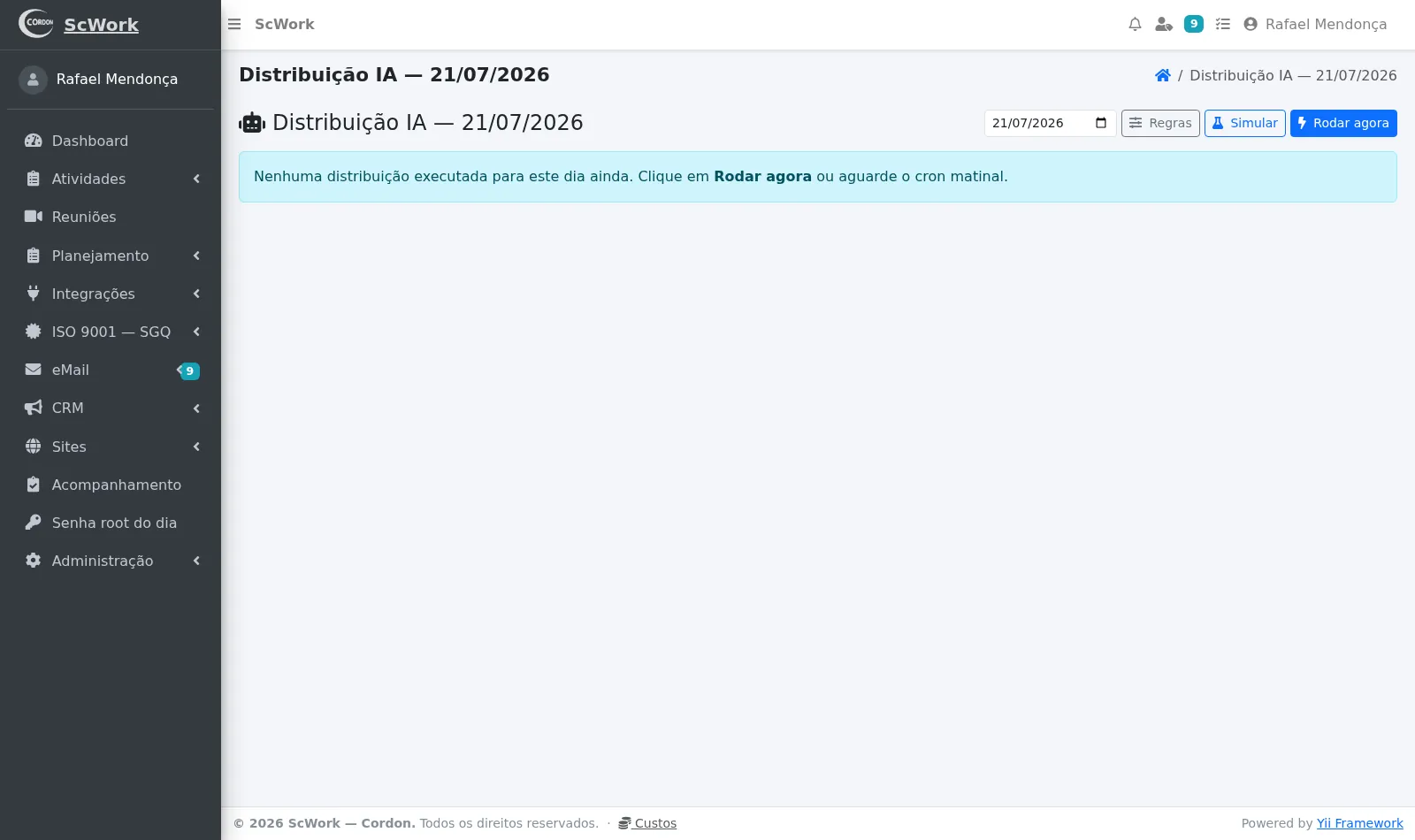
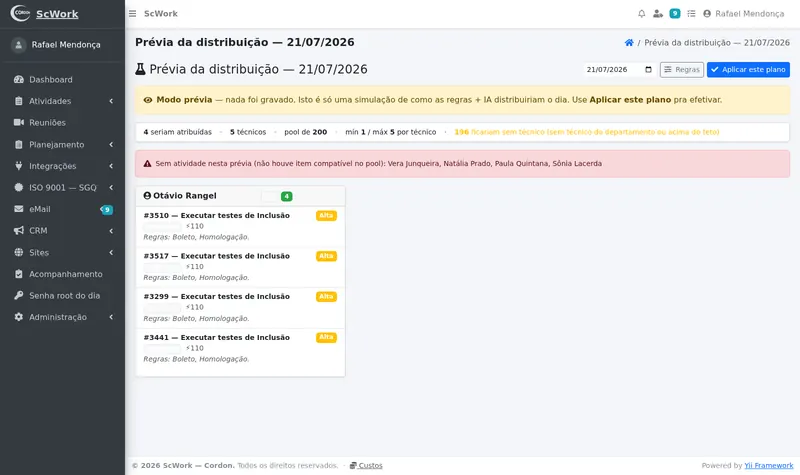
At 6:30 a.m., Monday through Friday, the system distributes the backlog among the technicians using the rules the manager wrote, plain-language variables and an AI score, respecting department, minimum and maximum load per person.
Each item comes with the reasoning behind the decision, and each run logs a before and after. There's a preview mode that saves nothing, so you can test a rule risk-free.
It's not a black box: the manager stays in charge — the system just takes the first hour of the day off their plate. And since August 2026, it also checks each person's Google Calendar before assigning work.
That's the question managers answer by guesswork, and the system answers with numbers. When you schedule a task, it adds up each technician's workload for that specific date: the hours of tasks already scheduled, based on each one's estimate, plus their Google Calendar events — including all-day events, which bring the person's availability down to zero.
Each person connects their own calendar: authorization is individual, not company-wide. Without that, the system would only see half the day.
It works both ways: what's scheduled here shows up in Google, and later changes are updated there. Cancel the task and the event disappears from the calendar. It's not a copy that goes stale.
A note on privacy, because it's only fair: the integration requests read and write access to the calendar of whoever connects. That's needed to create and cancel events — but it means the decision to connect should be the person's own, with the company explaining why. The system never connects anyone on its own.
Individual authorization through Google, with the option to choose which calendar to use.
Hours of tasks already scheduled plus Google events, per technician.
Each person's day appears item by item. The system suggests; you have the final say.
Created, changed and canceled together — no outdated copies.
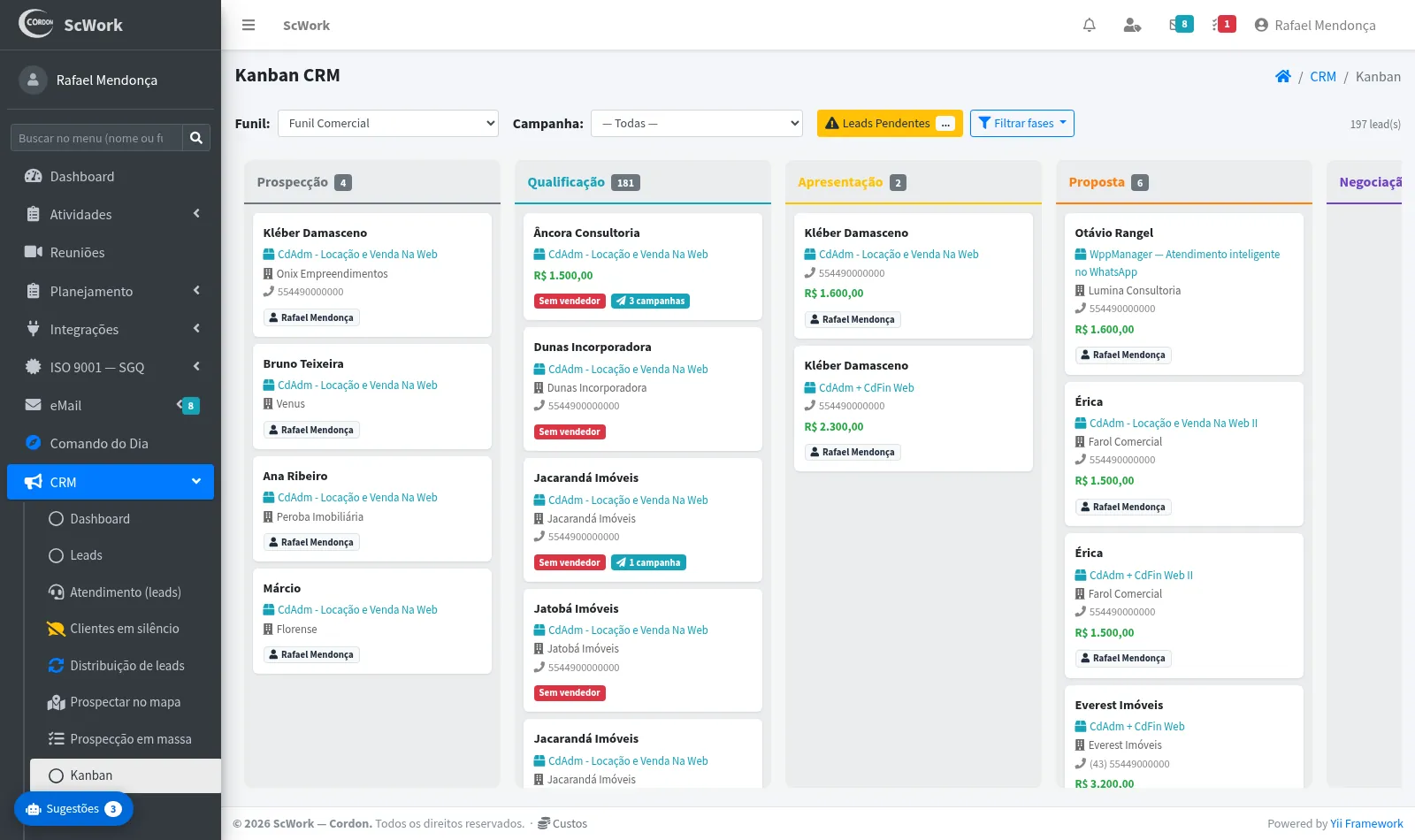
With RD Station + Mailchimp, a campaign list gets older every day. Here you ask the database: who is in stage X, of product Y, doesn't use Z, has an overdue invoice and hasn't yet received campaign 3. No spreadsheet exports, no outdated lists — and no per-contact fees, because emails go out through your own SMTP account.
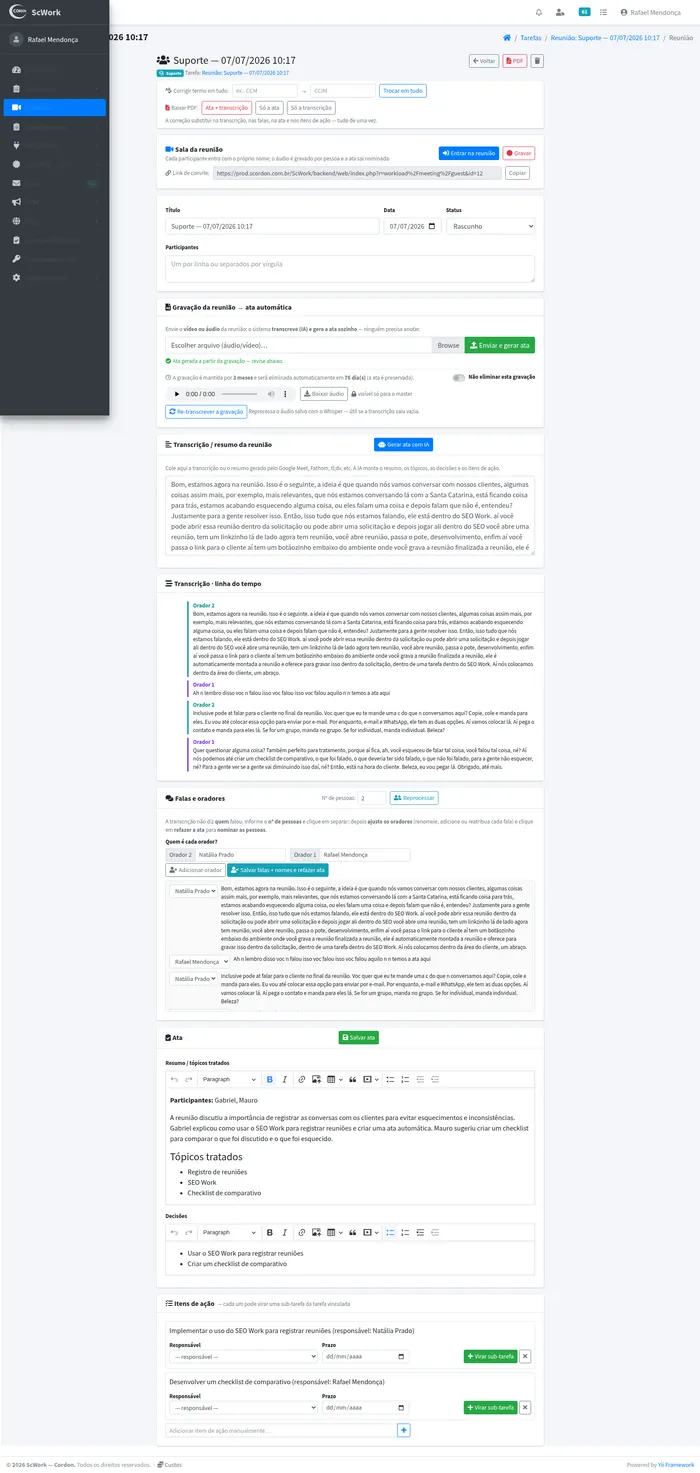
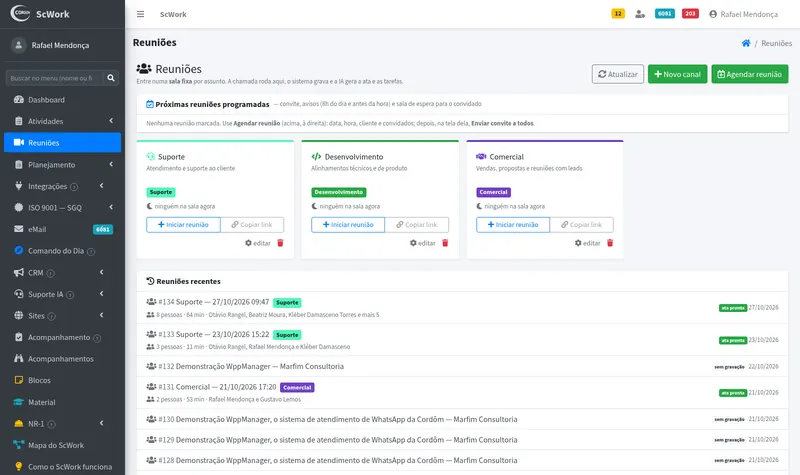
The recording comes with one audio track per participant — so the minutes name people without the AI guessing. On a single screen: the transcript, the timeline split by speaker, the step to name each speaker, the minutes with summary, topics and decisions, and the action items with a “make it a subtask” button.
Exports to PDF in three formats. And it all stays on your server: no meeting goes to a third-party cloud. The heavy recording is deleted after 90 days; the knowledge stays.
Scheduled meetings: the invitation goes out on the company WhatsApp and by email, with a calendar file; each personal link opens a waiting room with a camera and microphone test, and the list shows who opened, confirmed and joined.
Every day, the “Daily Rescue” cross-checks the CRM, finance's active customer list and the last help desk activity, and delivers three customers with their phone number and how many days they've gone without contact — flagging those who have already left and removing anyone already scheduled today.
“How many customers did you lose last year without ever getting an alert?”
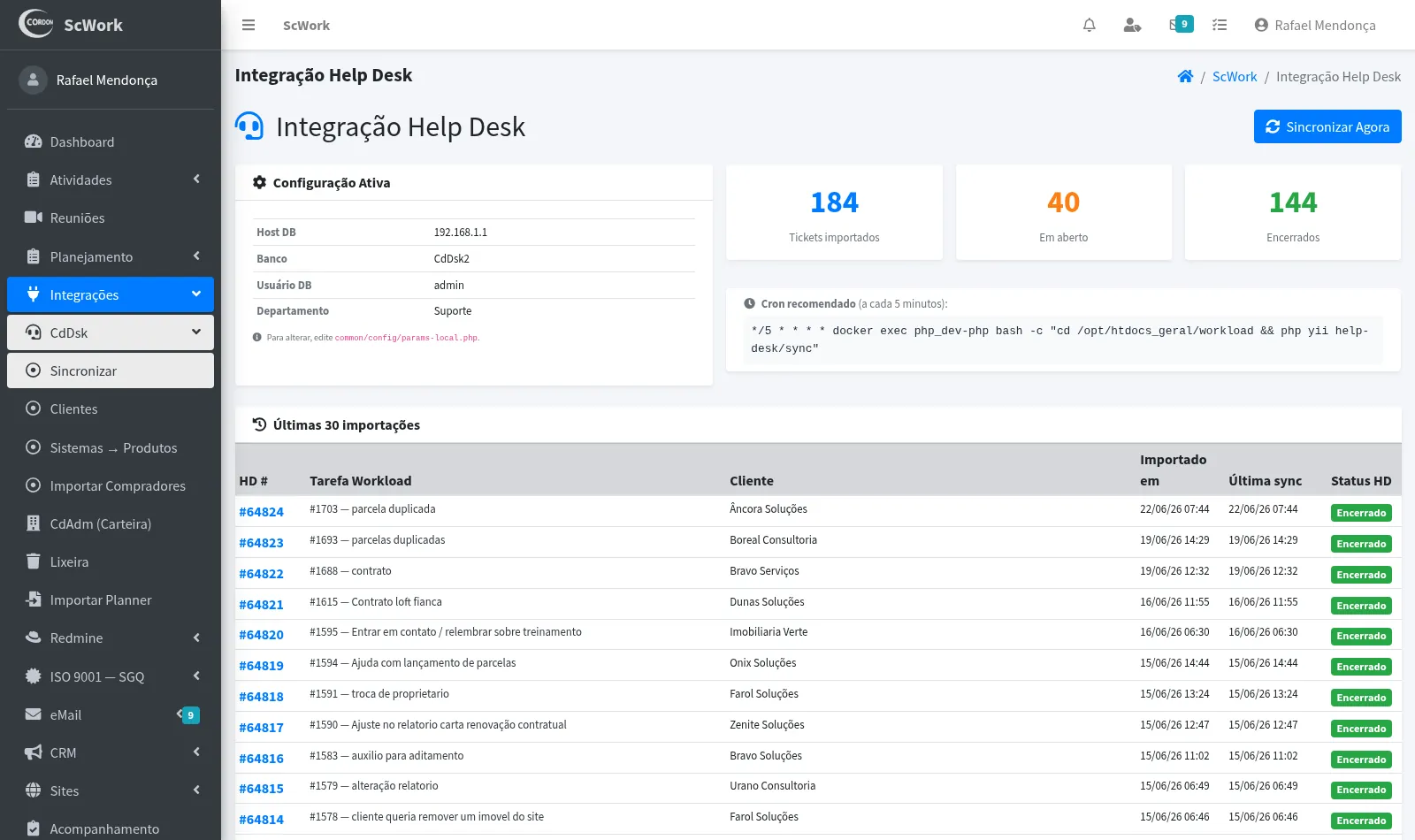
A Me explique ("explain it to me") button on every screen: a guided tour, field by field. A ? next to each menu item says what the screen is for, and the menu search finds a screen by name or by what it does.
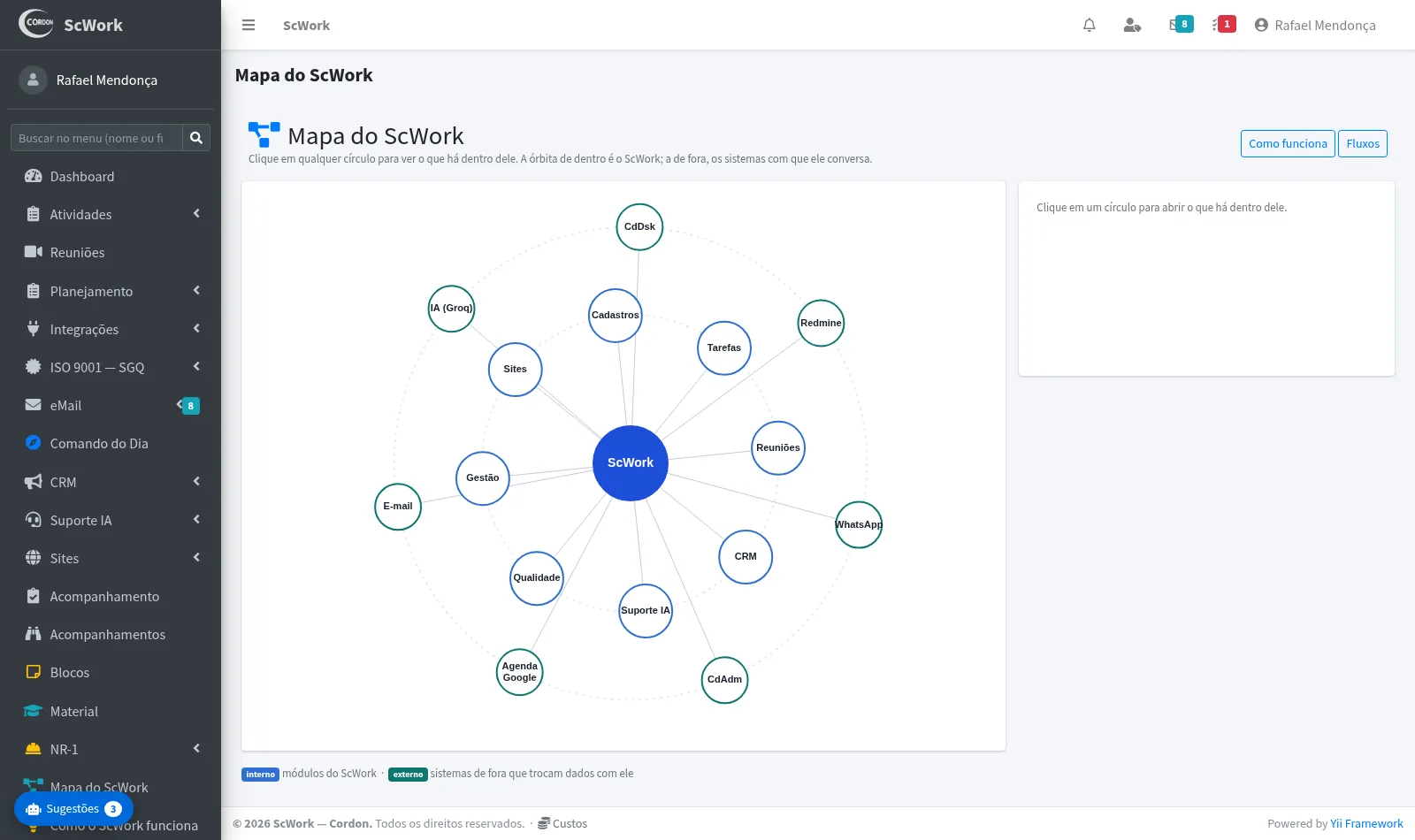
The ScWork Map shows the modules and the systems it talks to, in a clickable diagram. Less training, faster rollout.
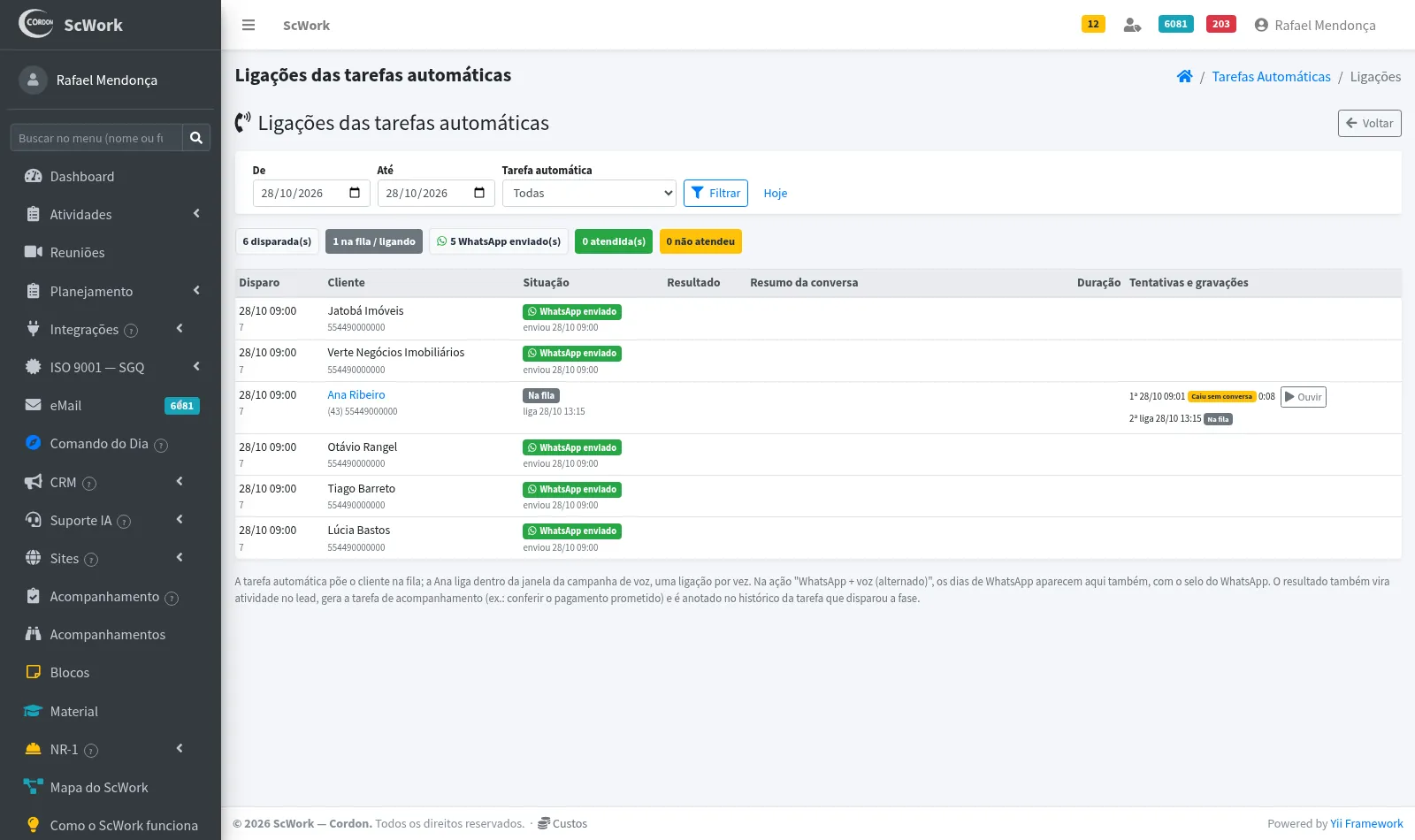
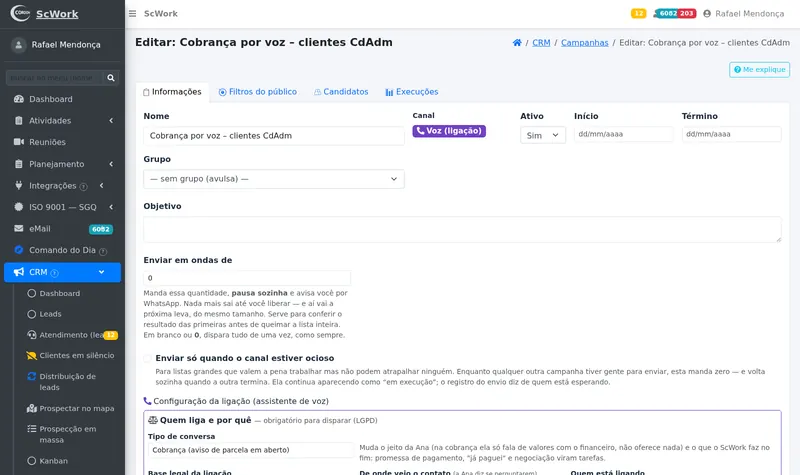
Automated Tasks run every day at the time you choose: for example, they pull overdue customers from CdAdm and act on each one — email, WhatsApp, or a call made by a virtual assistant that talks, records the outcome and books follow-ups.
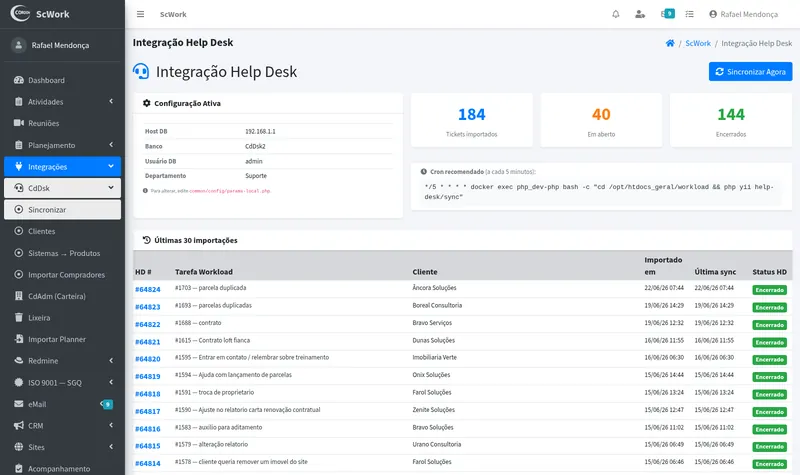
Each data source is registered once — CdAdm, WhatsApp, the help desk and public sources such as Brazil's Central Bank, IBGE and BrasilAPI. Whoever needs data asks for a contract ("overdue customers", "receivables past due") and gets the rows ready to use.
Report and routine forms list the contracts and load their fields: nobody types field names, and changing where a piece of data comes from is configuration, not code.
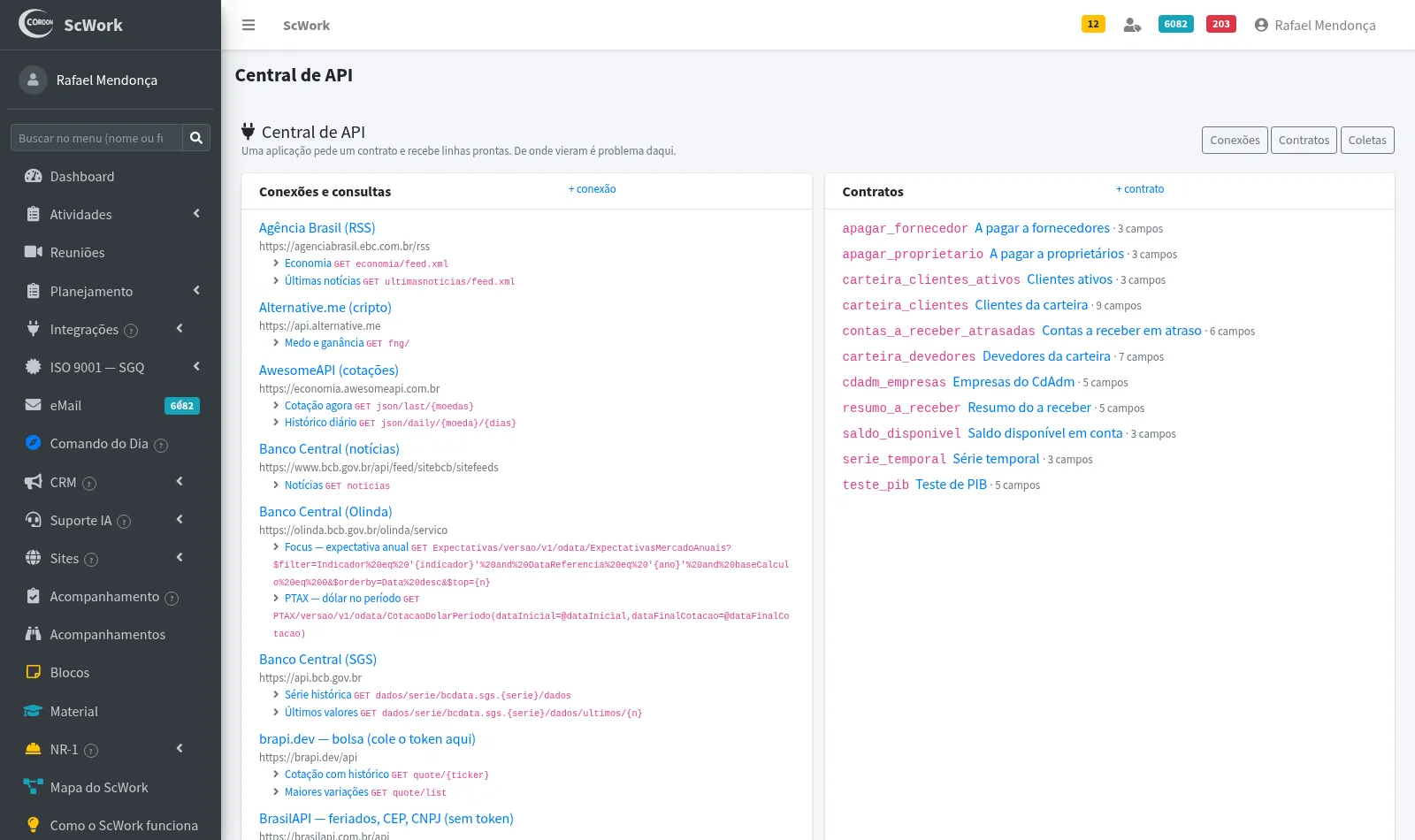
Modules
| Package | What's included | Who it's for |
|---|---|---|
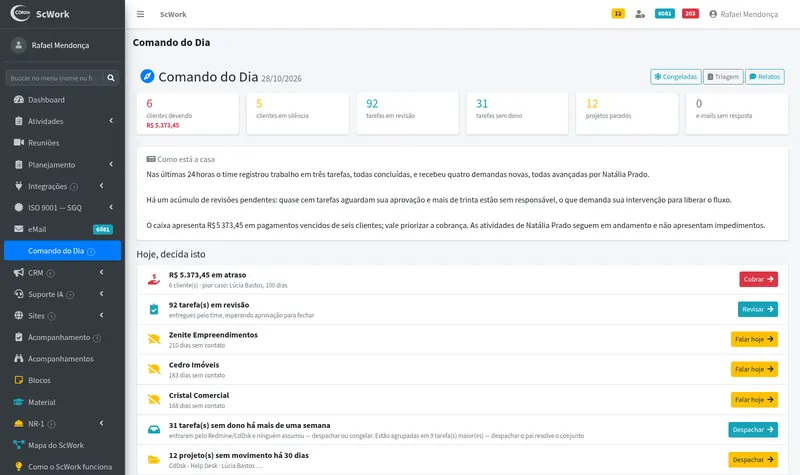
| Core and management | Tasks, Kanban, Gantt, calendar, time tracking, AI planning, project templates, Daily Command and backlog triage | Service companies that need to know where the time goes |
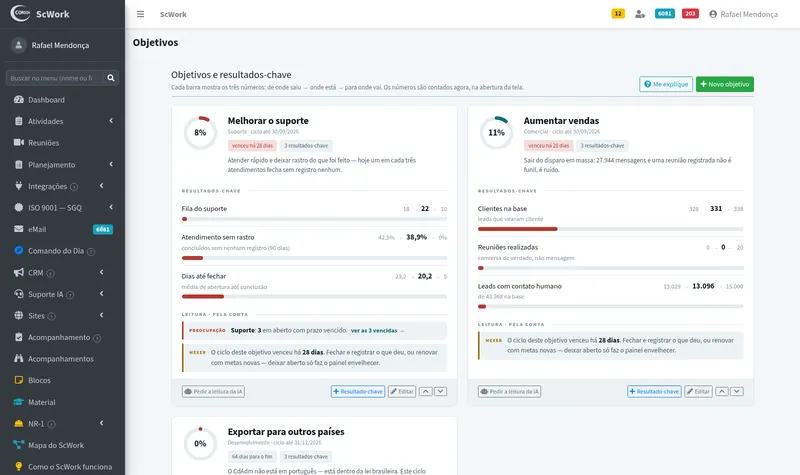
| Routines and indicators | Routines by role, Automated Tasks (email, WhatsApp and voice), OKRs, financial dashboards and economic indicators | Managers who want to decide with numbers, not spreadsheets |
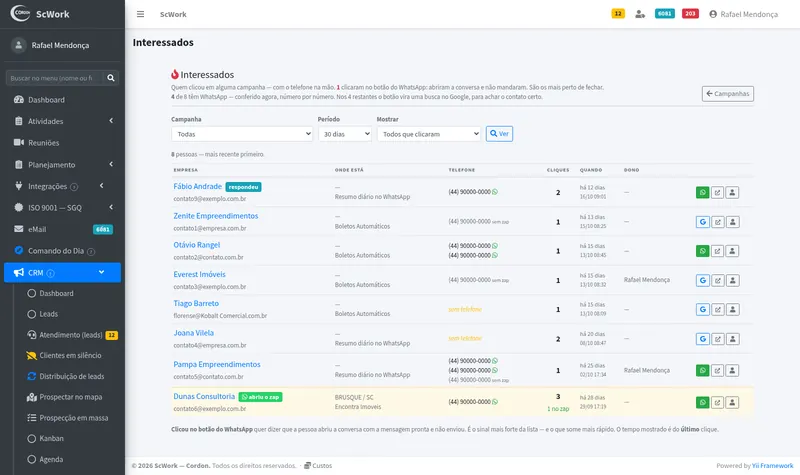
| Sales and marketing | Full CRM: funnel, proposals, documents and e-signature, campaigns by email, WhatsApp and voice, prospecting and a shared inbox | Anyone replacing a CRM + email tool + spreadsheet |
| Meetings | Invitations by WhatsApp and email, waiting room, per-participant recording, named minutes and action items | Teams that decide in meetings and lose track of the decisions |
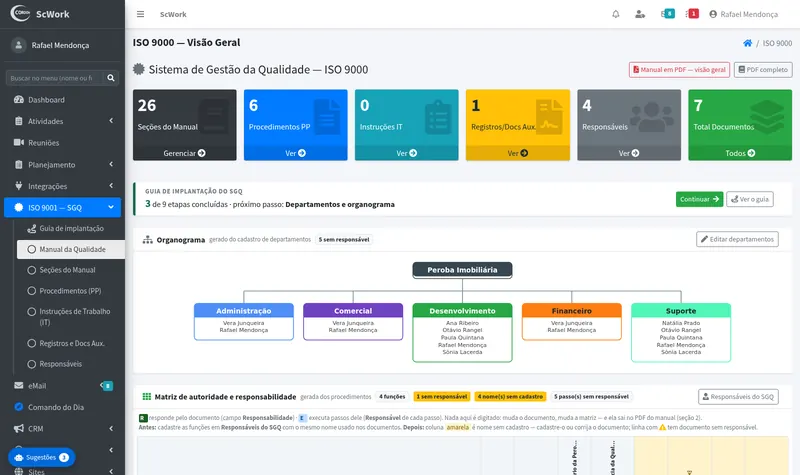
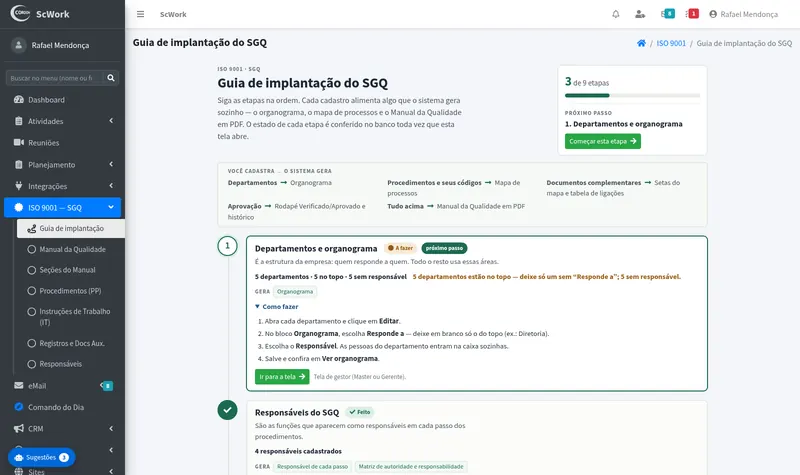
| Quality | ISO 9001: implementation guide, org chart, process map, authority matrix, revision-controlled documents and a PDF Quality Manual | Companies that are or want to be certified |
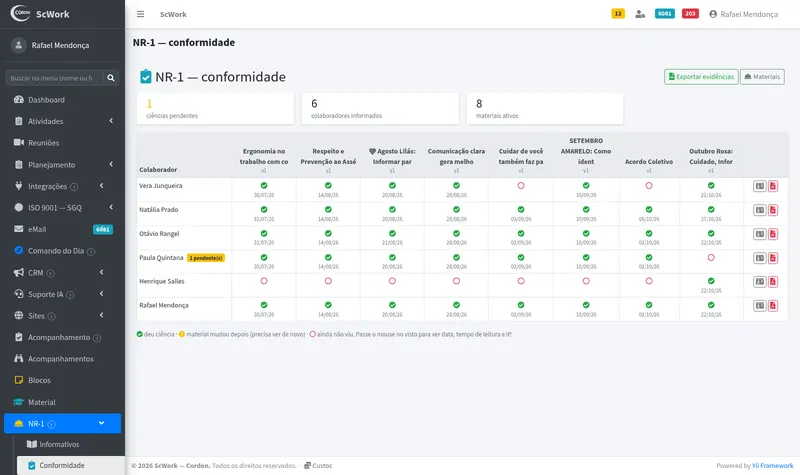
| NR-1 and training | Risk inventory, PGR in PDF, notices with read confirmation, compliance board and training material | Companies that must comply with NR-1 (Brazil) |
| Suite | All of the above + integration with the CdAdm ERP and WppManager through the API Hub | Existing customers of our other products |
Each company in its own environment: its own database, files and integrations, modules enabled per contract, and WhatsApp, email, Google and voice set up on a screen with a Test button.
Workplace safety
This Brazilian standard now also requires managing psychosocial risks — and that reached companies that had never thought about it. The module builds the inventory by activity, stores the action plan for each risk and generates the PGR (risk management program) in PDF.
An honest caveat: the system organizes, calculates and documents — but the inventory must be validated and signed by a qualified technical professional. The tool doesn't replace the safety engineer or technician, and the screen itself says so.
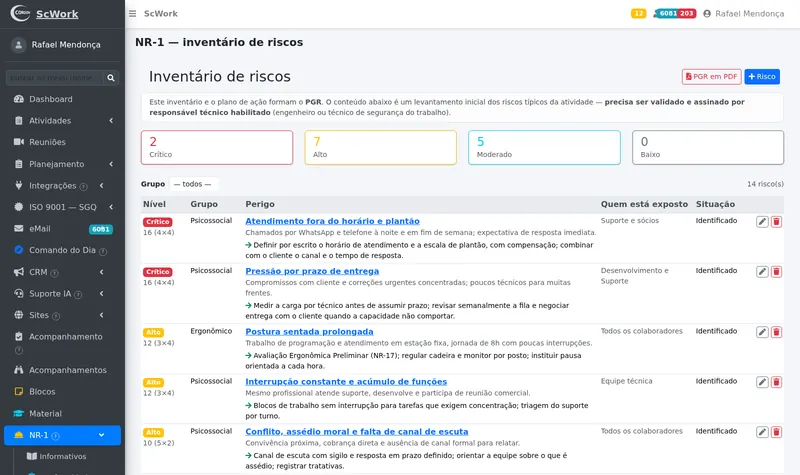
An honest comparison
| If you currently use | What you won't find there |
|---|---|
| Trello · Asana | Timer, per-project cost, help desk, CRM and reports in business days that account for holidays |
| Monday · Runrun.it | Tracking that catches real idle time, a time map in five-minute blocks, planning with reasoning and minutes with names |
| RD Station · Pipedrive | Audience as a live query on the pipeline, chained campaigns, priced proposals and built-in e-signature |
| Mailchimp | Sending with no per-contact fees, segmentation by the real pipeline and cross-checking with overdue accounts |
| Otter · Fathom | One audio track per participant, everything on your server, and action items turned into assigned tasks |
| Any of them | Everything in the same database, under the same login |
Real screens
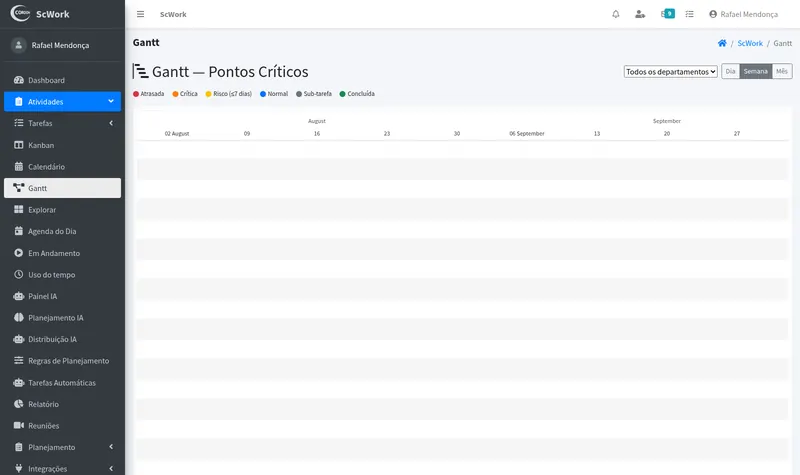
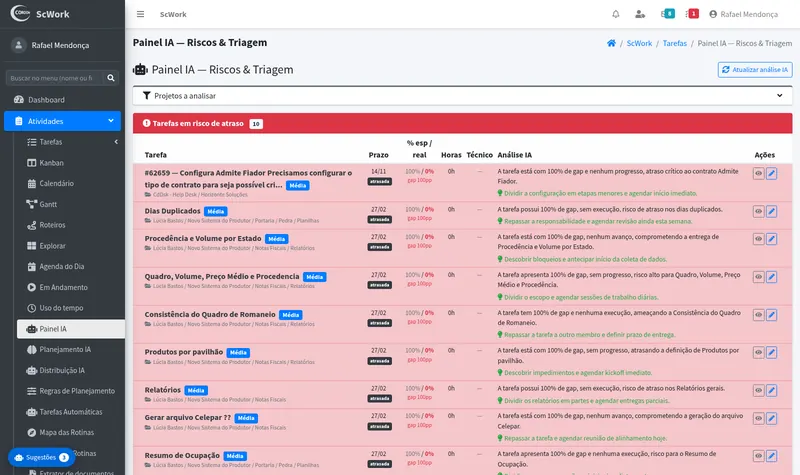
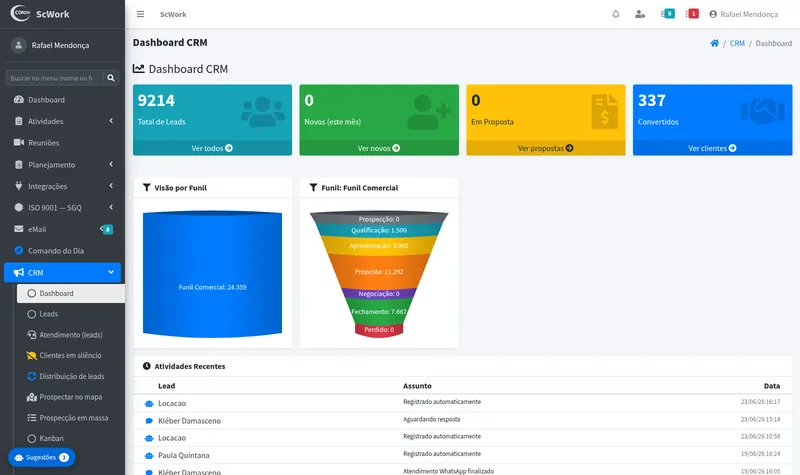
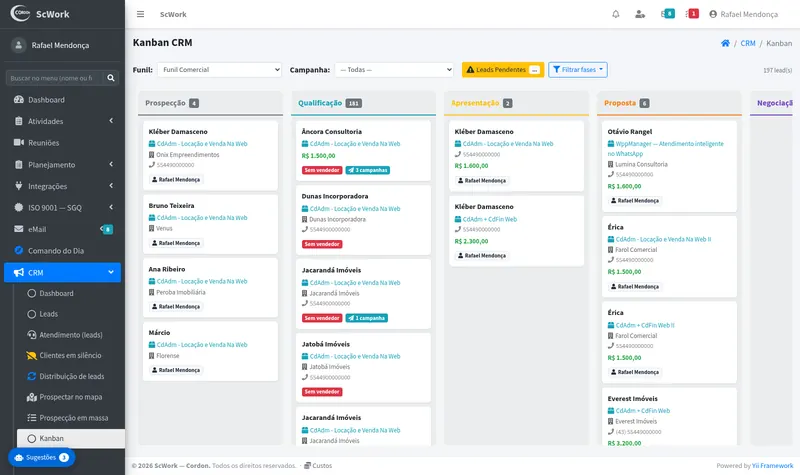
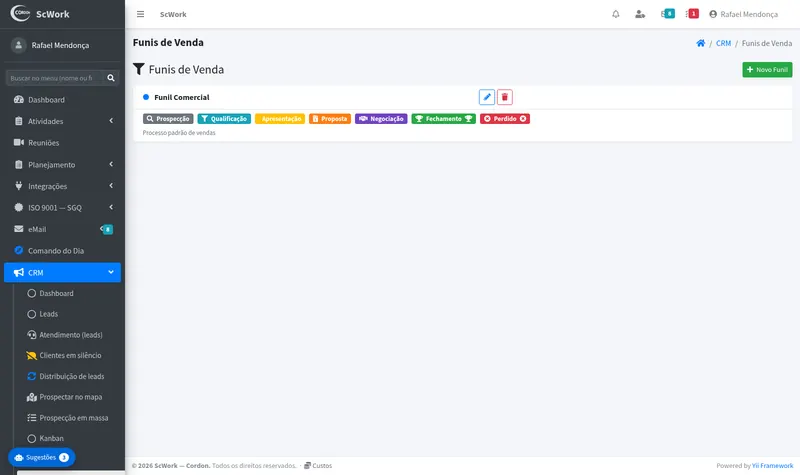
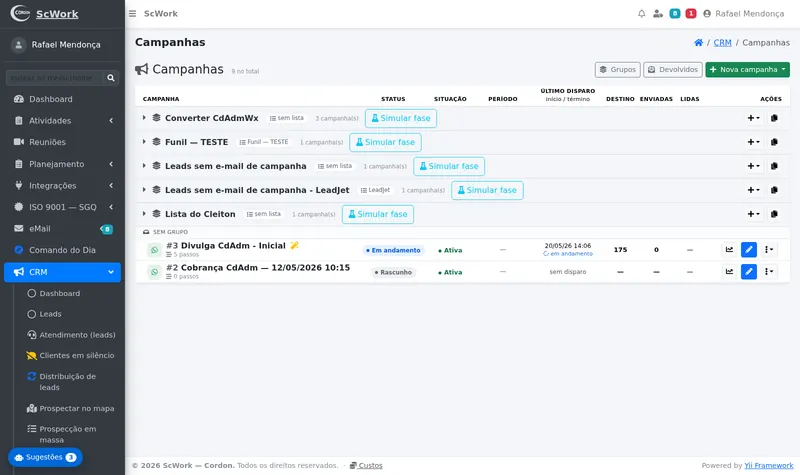
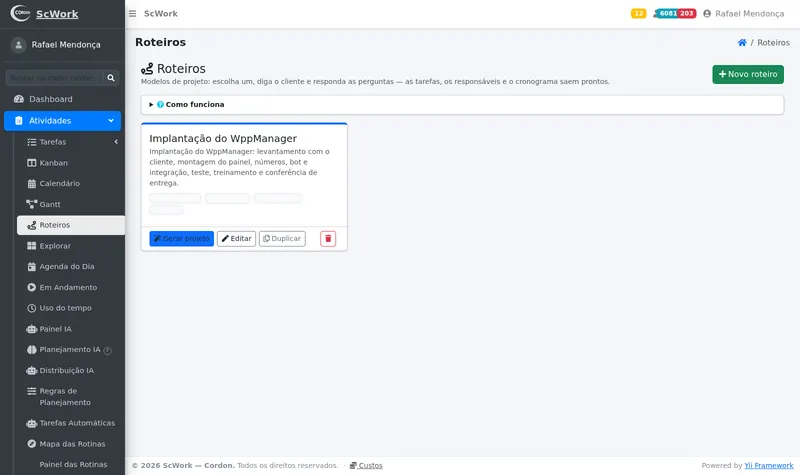
Screenshots from CORDON's own environment, with people's names replaced by fictitious ones. Click to enlarge.
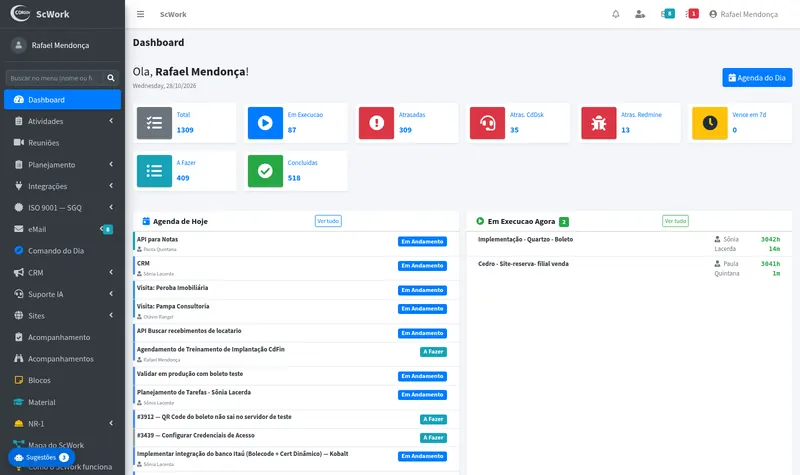
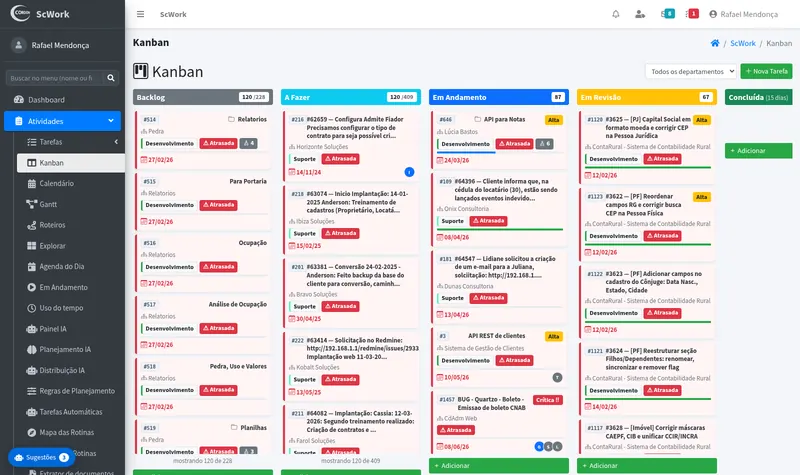

You don't have to switch everything at once. Pick one module, run it for a month and decide with data in hand. No lock-in contract and no cancellation fee.