Multiple numbers and multiple agents working together, with department queues, automatic routing, an after-hours bot, bulk campaigns and live supervision — and nobody has to hand their phone to a coworker.
The problem
Messages nobody saw, customers who told their story three times, an agent who went on vacation with the conversation on their phone. None of this is a lack of effort: it's a lack of tools.
What's inside
Multiple open conversations, text, images, video, audio, PDFs and stickers, several files at once. Shared view by department, mentions when a customer calls an agent by name, logged calls and a "replied from phone" badge.
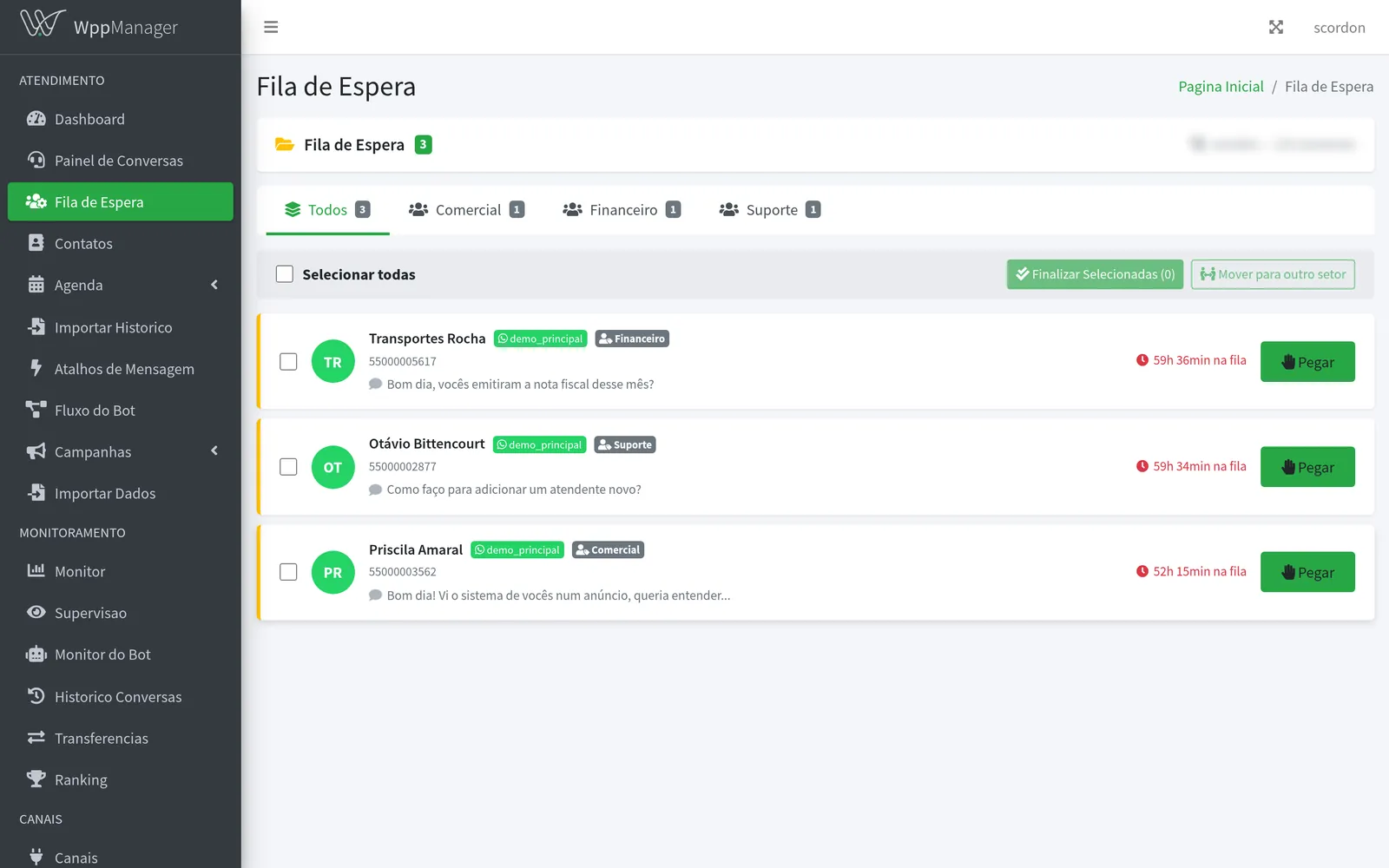
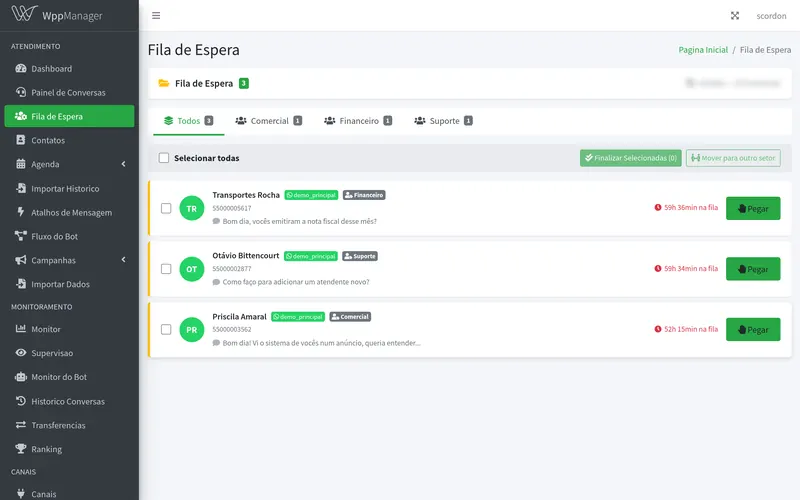
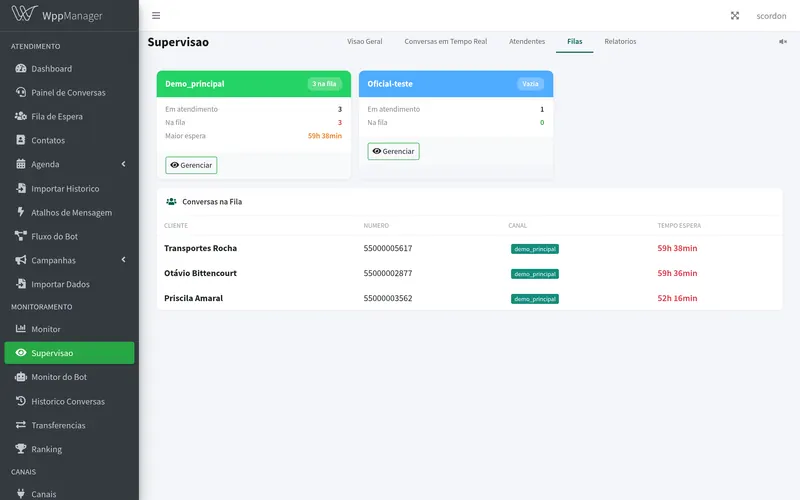
Queues by department and automatic distribution to the least busy agent. Agents pick up and reply in a pop-up without leaving the queue, and chats in the wrong department move to the right queue in bulk.
Hand the conversation to another agent or another number, with a reason, accept or decline, real-time notification and a full log.
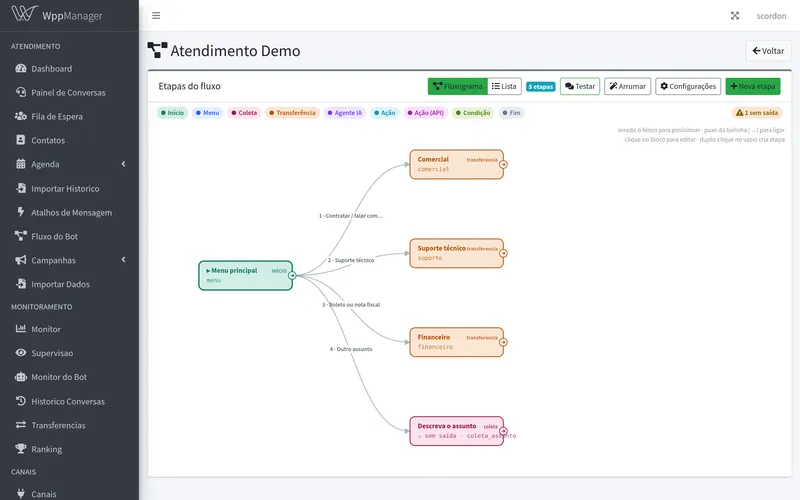
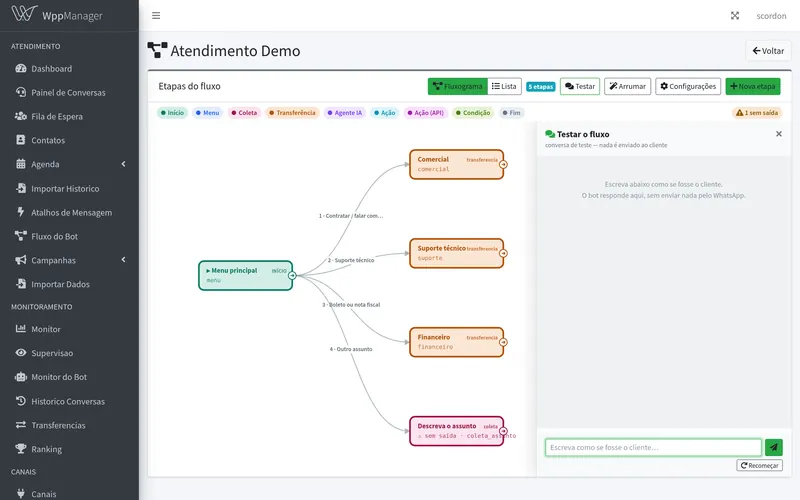
The flow is shown as a flowchart: each step is a block and the connectors show where each option leads. Our team builds and tunes it; you follow and test it. Runs 24/7.
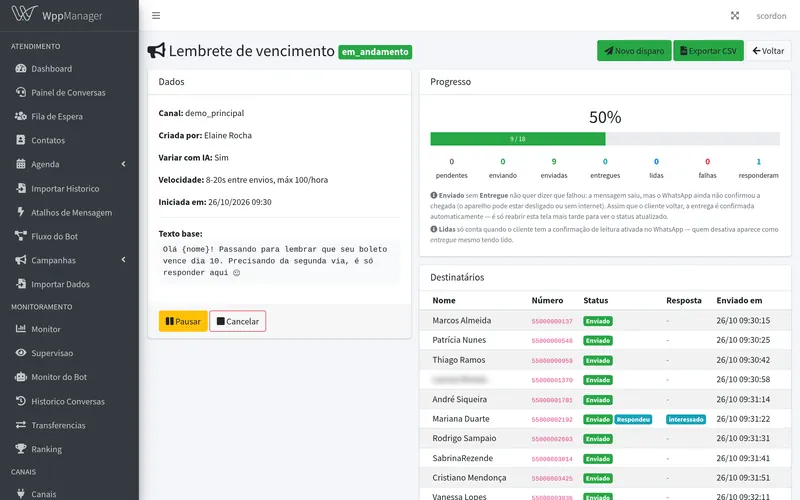
Text, images, video or PDFs with variables. Scheduled, recurring ("every Monday at 8 a.m.") or as a sequence, with sent, delivered, read and replied reports per person.
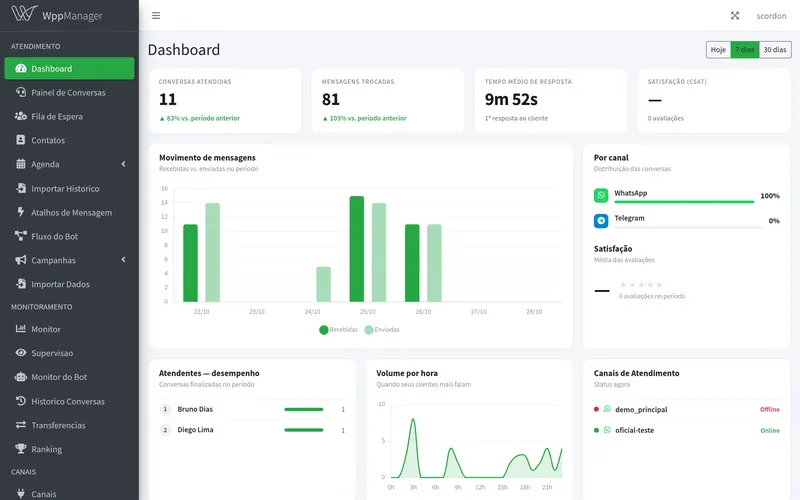
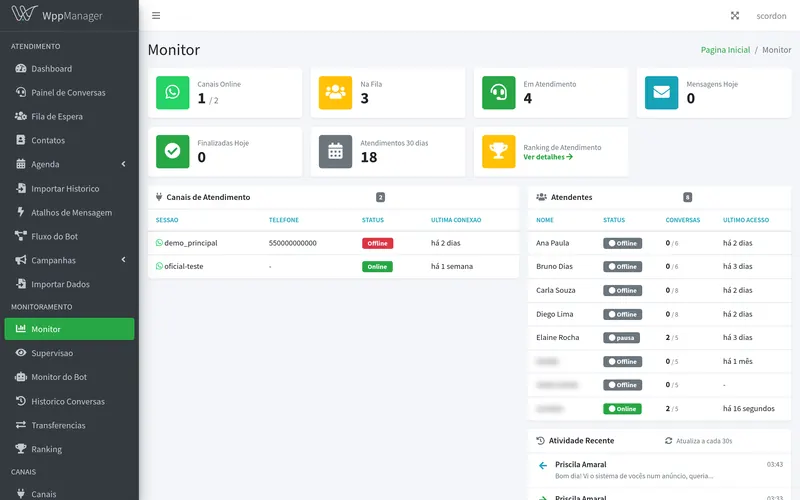
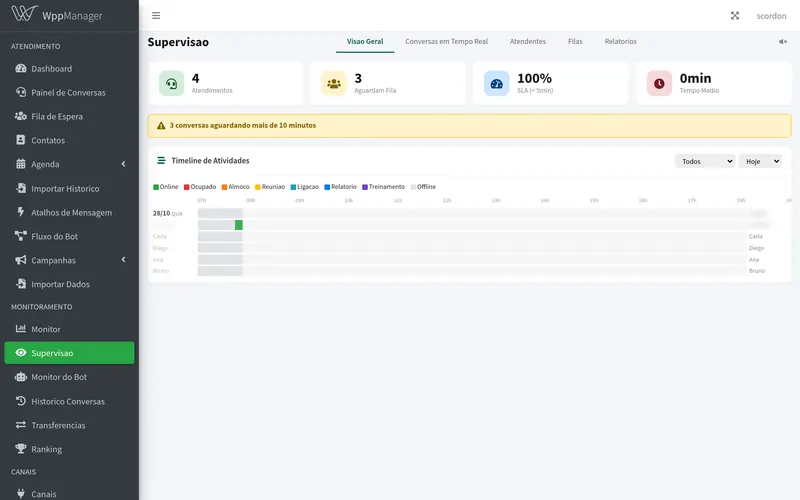
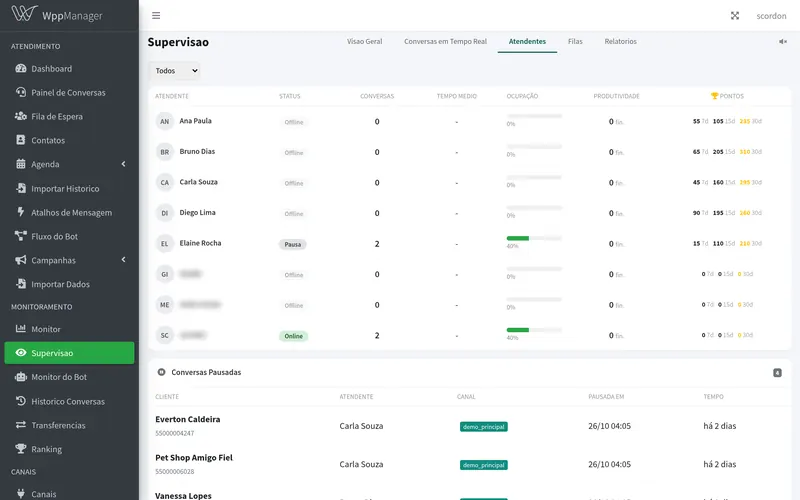
Instances, agents and conversations live. Productivity ranking, auditable history and a 1-to-5-star satisfaction survey.
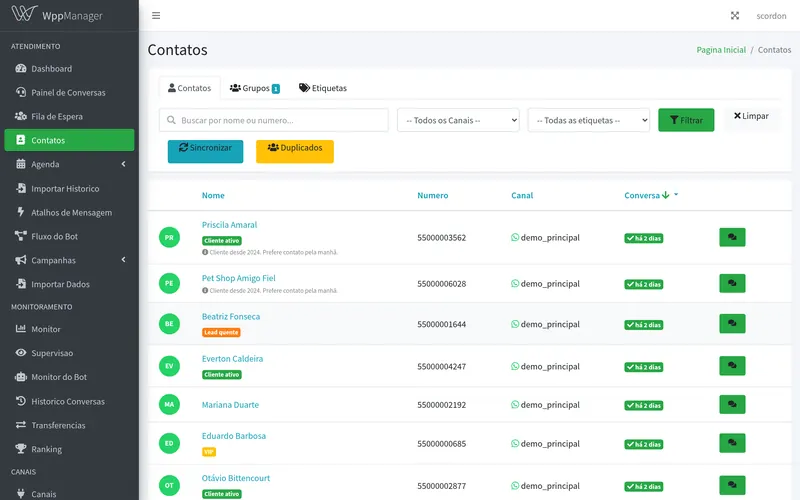
CSV import with column mapping, tags, duplicate detection and merging, and creating a contact straight from the conversation.
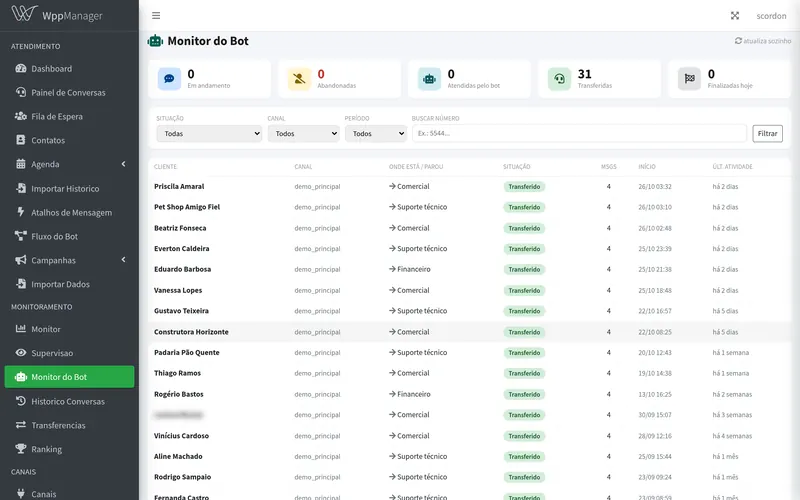
An agent with its own knowledge base, reply suggestions when the agent asks for them, profile and urgency reading, a summary for opening a ticket and classification of campaign replies. When the answer isn't in the base, it hands off to a person.
Per-company API token to send messages and check results, webhooks, and installation as a phone app with push notifications. Chats, queue, supervision, calendar and bot all work on a phone.
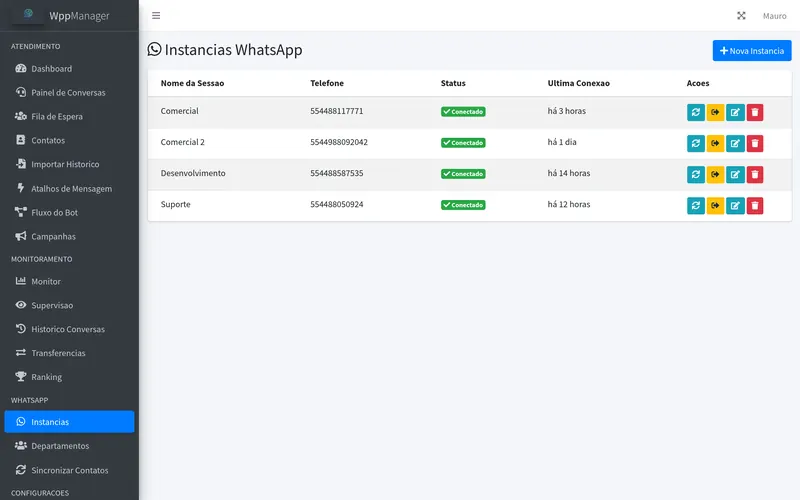
When a number's connection drops, the system tries to reconnect on its own, at spaced intervals. Only when it gives up does the alert appear — and it blocks anyone working on that number. The worst case isn't the channel going down: it's an agent spending the afternoon replying without knowing nothing is going out. And the manager gets a WhatsApp alert when the queue stalls or a number goes down.
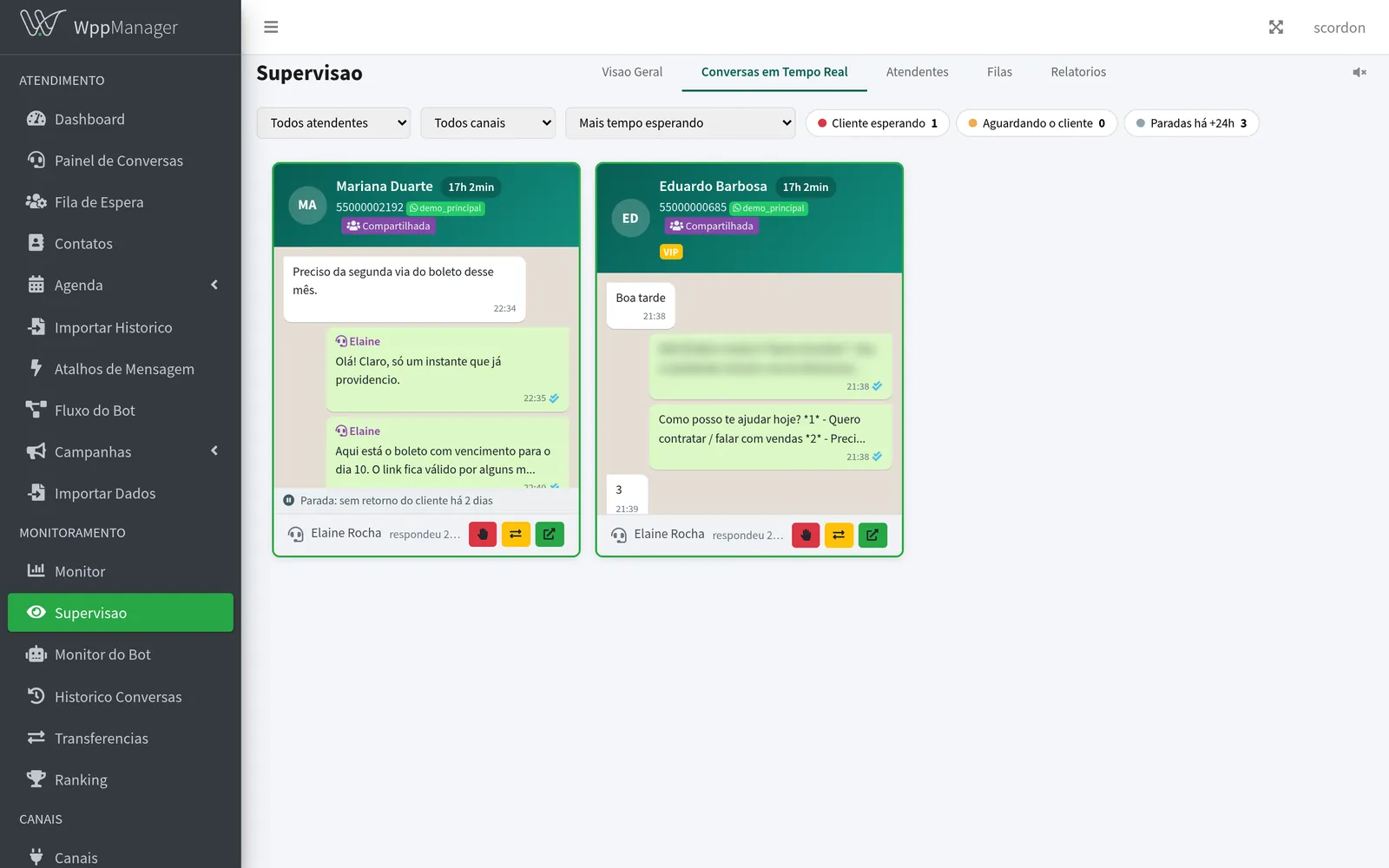
Each open conversation is a card, showing who's handling it, which department and how long the customer has been waiting — with the latest messages right there, no need to open it. It's the entire operation on one screen, as it happens. When the wait goes past what's acceptable, the card turns red: you don't have to look for the problem, it shows up.
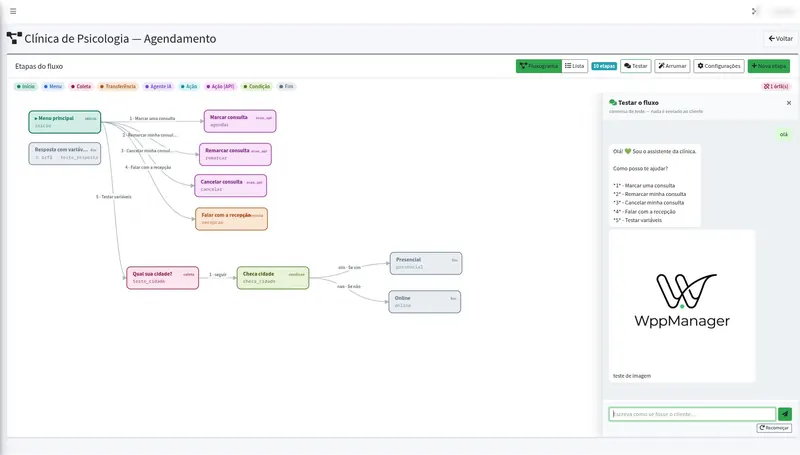
The flow is shown as a flowchart: each step is a block colored by what it does — menu, transfer, AI agent, action — and arrows show where each customer choice leads. Our team builds and tunes the flow with you; in the dashboard you follow the design, the list of steps and how each one performs.
And you can test it before customers see it. The Test button opens a chat with the flow right there, just as a customer would talk to it — nothing is sent to anyone. If something isn't the way you want, we adjust it before it goes live, instead of you finding the mistake with a real customer.
You enter your company's information into a knowledge base — hours, payment methods, policies, FAQs. Each block is indexed when saved, and the agent answers from there.
If the information isn't in the knowledge base, the AI doesn't improvise: it hands off to an agent. That's a design choice, not a side effect — and it's what separates a useful assistant from one that makes up prices and deadlines on behalf of your company.
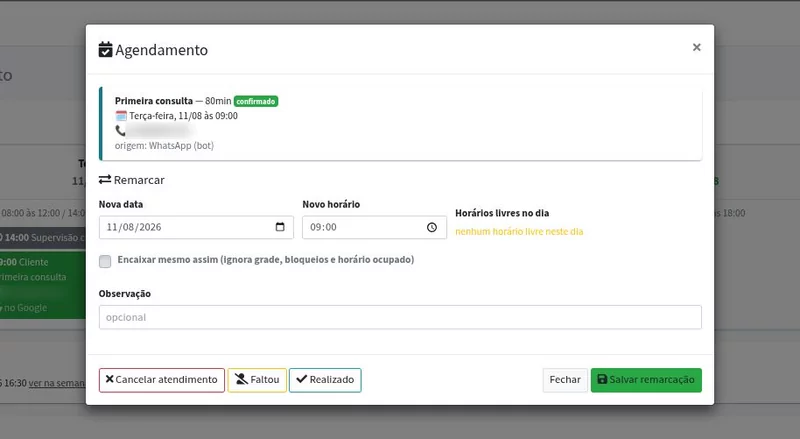
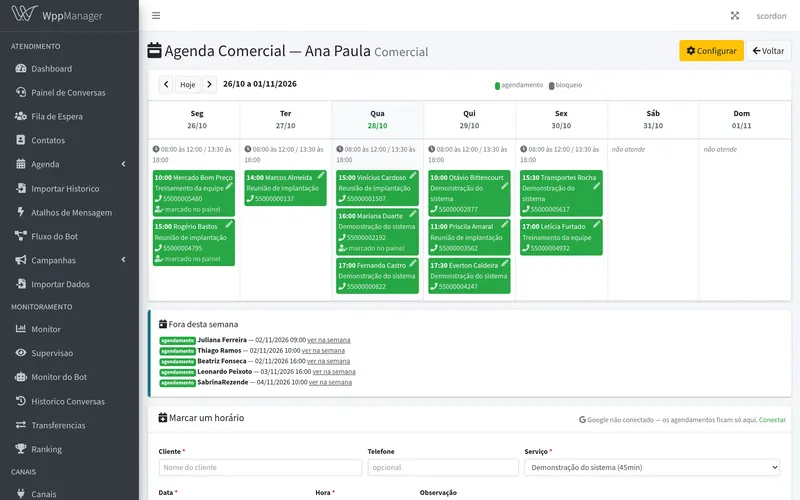
Notice the small line in the screenshot: source: WhatsApp (bot). Nobody at the clinic typed that time. The client chatted on her usual WhatsApp — no app, no portal, no password — picked "first consultation", and the appointment was created confirmed, taking the 80 minutes that service lasts rather than a generic one-hour block.
From the same screen, the front desk handles the rest: reschedule, cancel, and record whether the patient was a no-show or the appointment was completed — which is what turns no-shows into numbers instead of memories.
Free slots are calculated inside WppManager itself, not in Google. That's why the answer is instant — and why booking keeps working even if the Google API is down.
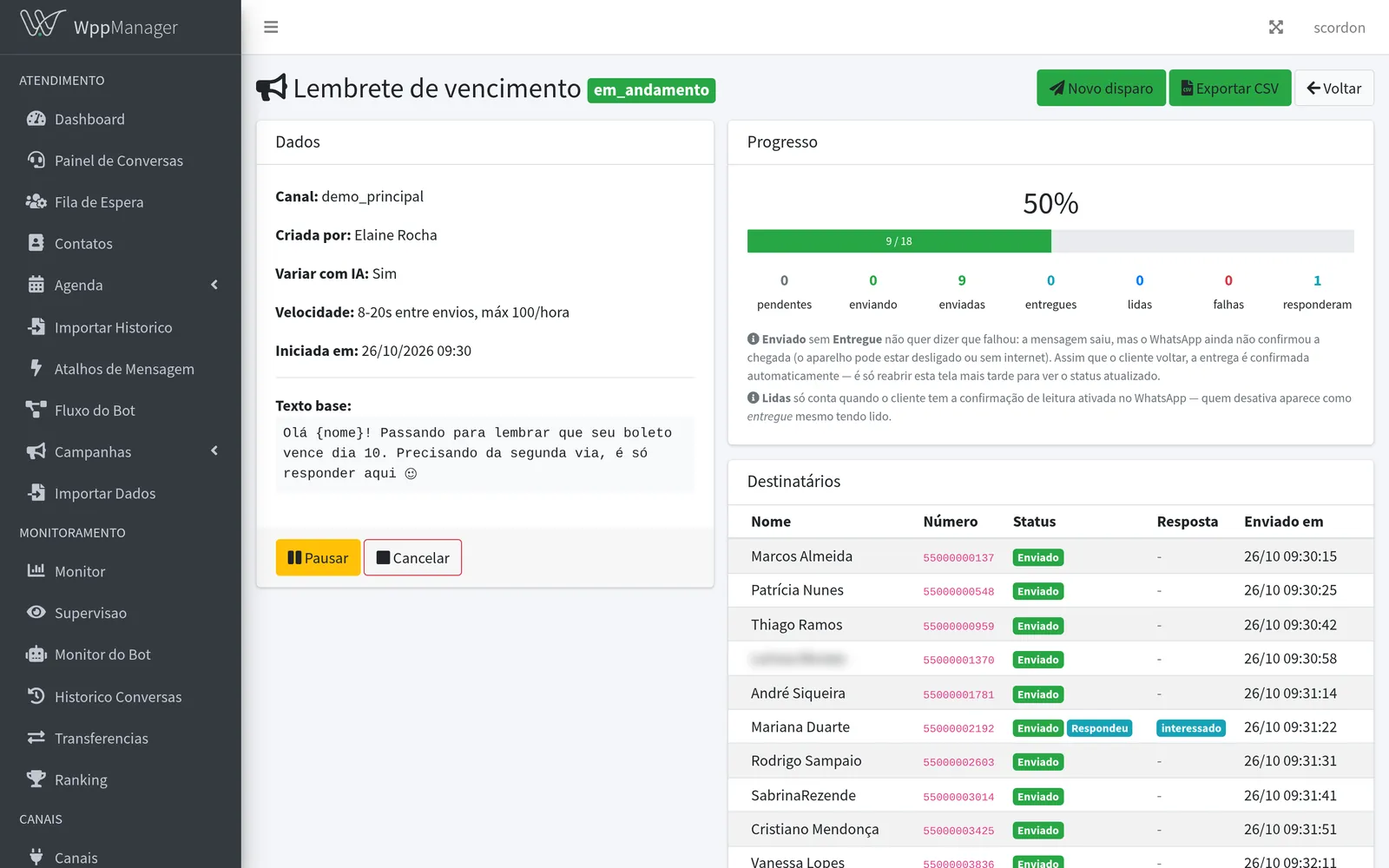
Hourly limit, interval between messages, automatic text variations and batch-by-batch tracking. You see who received it, who read it, who replied and who stayed silent.
{{nome}} and {{empresa}} in the message.And the system works to keep your number from being restricted. Anyone who has sent in bulk knows the risk isn't the message failing to go out — it's WhatsApp restricting the number afterward. That's why the safeguards aren't optional settings hidden on an advanced screen:
Recurring: "every Monday at 8 a.m.", "on the 1st of every month", "every 15 days". Each round becomes a campaign with its own report, and with tags the list is live: whoever joined the group this week gets it, whoever left stops getting it. Nothing goes out on holidays or outside the number's business hours.
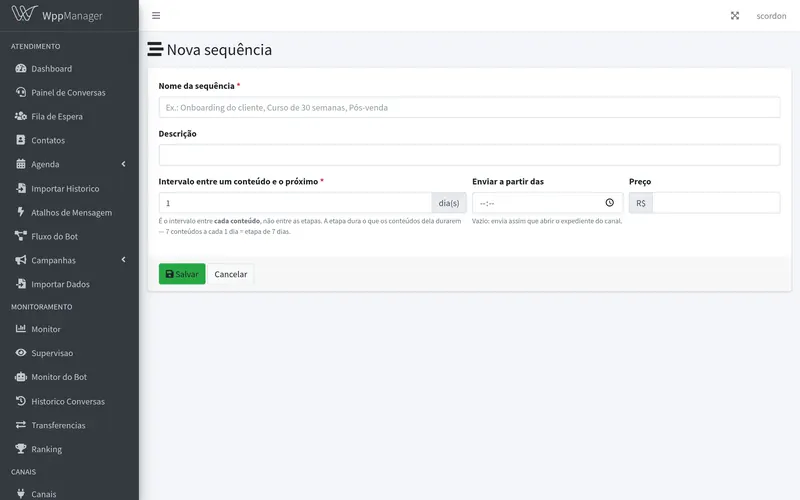
Sequence: each contact gets the content for their day. Someone who joined today gets day 1 and someone who joined a month ago gets day 30, in the same send. Use it for courses, follow-ups, onboarding and after-sales, and you can offer a free sample: when the person buys, they pick up where they left off.
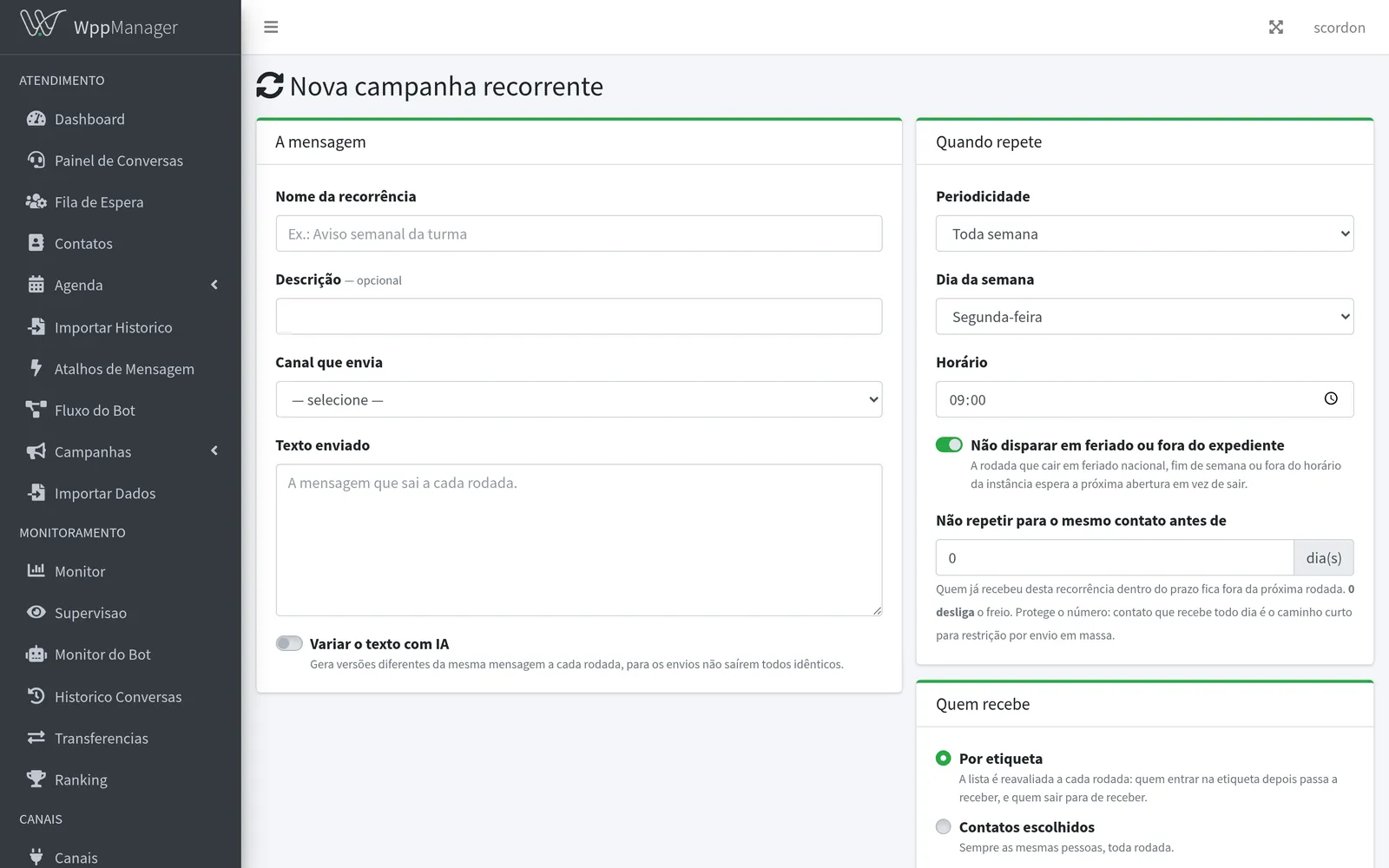
Real screens
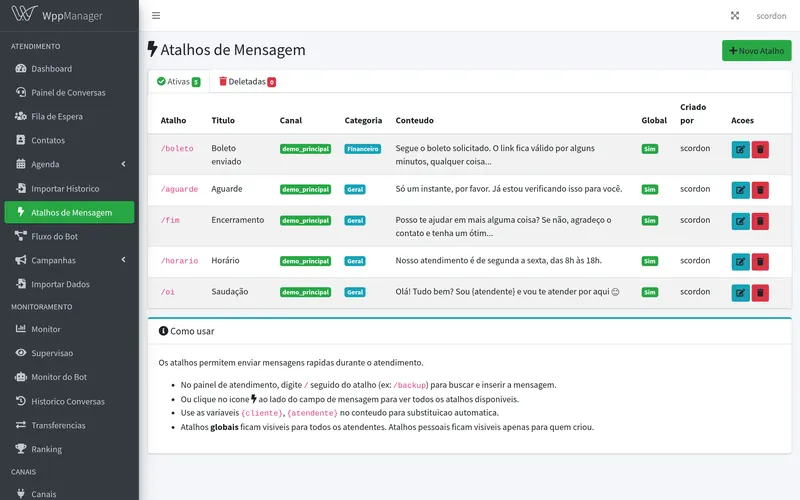
Screenshots from the demo company: fictitious conversations, contacts and phone numbers. Click to enlarge.
Integration
WppManager isn't an island. It asks CdAdm who's on the line, returns the document in the chat and logs the record in ScWork — without anyone typing anything twice.
How it works under the hood: the platform connects your numbers by QR code or pairing code, just like WhatsApp Web. Talk to us about volume and usage policy before planning large sends — we explain the limits frankly instead of promising unlimited sending.
Build the scenario with us — how many numbers, how many agents — and get a firm quote, with no fine print. No lock-in contract and no cancellation fee, as with everything we sell.
Prefer to read it at your own pace or show it to your business partner? Download the PDF overview (in Portuguese) (8 pages, 1.4 MB).